

Key Takeaways
- Listings with photos earn 42% more direction requests and 35% more website clicks than profiles without them, according to BrightLocal’s analysis of Google’s own data.
- Profiles with more than 100 images get 520% more calls and 1,065% more website clicks than the average listing, per BrightLocal’s study of 580,853 images across 15,191 GBP listings.
- A fully completed Google Business Profile is 7x more likely to get clicks in search results, reports Search Engine Land, with customers 70% more likely to visit.
- 88% of consumers who run a local search on a smartphone visit or call a business within 24 hours, Think with Google reports.
- “Near me” searches have grown more than 900% since 2018, with over 1.5 billion happening every month, according to HubSpot research, making photo-driven profiles mission critical for landscapers.
Your Google Business Profile is usually the first impression a prospect gets of your landscaping company, and photos decide whether they scroll past or tap your listing. In a market where BrightLocal found listings with photos get 42% more direction requests, weak visuals quietly cost real revenue. This guide shows how to produce Google Business Profile photos that turn curious neighbors into booked estimates, along with the data and steps behind every recommendation.

Why Do Google Business Profile Photos Matter for Landscaping Companies?
Photos drive the clicks, calls, and direction requests that feed your pipeline. BrightLocal’s GBP insights study confirms listings with photos earn 42% more direction requests and 35% more website clicks than those without, and profiles featuring more than 100 images see 520% more phone calls. For landscapers selling visual work, that gap is the difference between a busy crew and a quiet week.
Google’s algorithm also leans on visual signals. Whitespark’s 2023 Local Search Ranking Factors survey lists photo uploads among the engagement signals that influence map pack visibility, and Search Engine Land documented how geotagged photos correlate with ranking lifts in tested markets. If you want to learn how this fits the bigger picture, our guide to local SEO for landscape contractors breaks down the full framework.
How Do Photos Influence Local Search Rankings and Engagement?
Photos are not a direct Google ranking factor, but they feed the engagement signals that are. Moz’s local search research shows behavioral signals account for roughly 11% of local ranking weight, and BrightLocal’s algorithm breakdown explains how clicks, calls, and time-on-profile push listings higher in the map pack.
Photo-heavy profiles win those engagement metrics. According to the Birdeye State of Google Business Profile 2025 report, high-resolution photos increase engagement by roughly 38%, and profiles that post photos regularly enjoy 30 to 50% more views than the average. Sterling Sky’s controlled GBP photo tests also showed photos matching the query’s visual intent lifted visibility in image packs, while off-brief photos could hurt.
Which Photo Types Drive the Most Landscaping Leads?
Before-and-after pairs, finished project shots, crew photos, and branded vehicles consistently outperform stock imagery. BrightLocal’s GBP insights found that every additional photo category (exterior, interior, team, product) correlates with higher action rates, and homeowners scanning local results look for proof your work survives a weekend, not a render. If you want a ready-made content calendar, our article on turning your Google Business Profile into local jobs walks through examples.
Before-and-after transformations
Nothing proves workmanship faster than a side-by-side transformation. Pair the same angle, same framing, and same time of day; a weedy bed next to the finished garden bed sells itself. Add a brief caption naming the service (paver walkway, sod install, landscape lighting) so Google associates the image with buying intent queries.
Finished project portfolio shots
Homeowners buy the finished outcome, so showcase it. Shoot straight-on hero angles, wide context shots, and tight detail crops like stone joints, edge lines, and plant pairings. Unilock’s contractor portfolio guide underscores that emotional connection comes from imagining life in the space, so include entertaining areas, lit walkways, and seating vignettes, not just the lawn.
Crew, trucks, and equipment
Prospects want to know who is showing up at their house. Photos of uniformed crew, branded trucks, and tidy job sites build the trust that drives phone calls. The SOCi 2024 Consumer Behavior Index found 80% of consumers search local businesses online weekly, and they reward profiles that look active, transparent, and real.
Exterior and office signage
If you have a nursery, yard, or storefront, photograph it from several angles. Google uses these shots to confirm you are a real, physical business and to populate knowledge panel imagery. They also feed the map pack image carousel that sits above the 3-pack on mobile.
How Many Photos Should You Upload to Your Profile?
Quantity and freshness both matter. BrightLocal’s 2023 Local Business Discovery Trend Report shows profiles with more than 100 photos see 520% more calls, 2,717% more direction requests, and 1,065% more website clicks than the average, while single-photo profiles get 71% fewer calls. A steady drip of fresh images outperforms one big upload followed by silence.
Aim for two to five new photos per week during peak season and at least two to four per month in slower months. Search Engine Journal argues that “dynamic profiles,” the ones posting photos, updates, and offers weekly, are becoming the new ranking moat. If you manage a team, build a 60-second post-job photo checklist so every crew capture is consistent and usable.
What Does a Great Landscaping Photo Actually Look Like?
Great GBP photos are sharp, evenly lit, and composed with clear subjects. HubSpot’s visual content report notes that visuals are 43% more persuasive than text alone and articles with well-placed images earn double the social shares. On Google, high-resolution images also load faster and display better on the mobile devices where 57% of local searches happen.
- Resolution: Shoot and upload at least 1,200 x 900 pixels; Google recommends up to 10 MB per file.
- Lighting: Aim for the golden hour (the hour after sunrise or before sunset) when shadows flatter turf, hardscape, and foliage.
- Composition: Use the rule of thirds, straight horizons, and plenty of headroom so the subject breathes.
- Cleanliness: Remove hoses, tools, cones, and trash bags before shooting; these kill trust instantly.
- Authenticity: Skip heavy filters; keep color correction subtle so the work looks like the work.
How Can You Capture Professional Photos on a Smartphone?
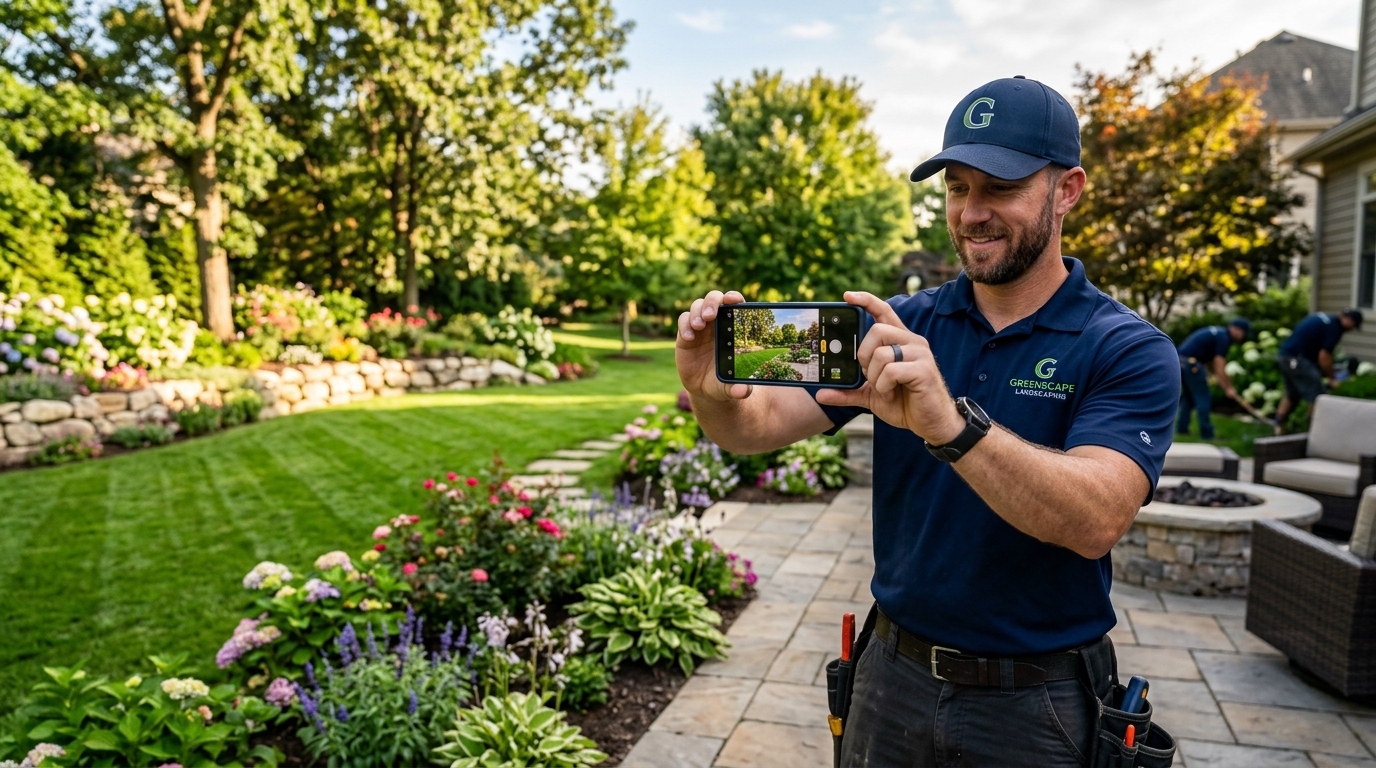
A modern smartphone can produce GBP-grade photos when you control a few basics. HubSpot’s 2026 marketing statistics roundup confirms images remain the second most used marketing asset after video, and you do not need a DSLR to compete. Lock exposure, enable gridlines, shoot at base ISO, and keep the phone level. Our landscape marketing team helps crews build this habit on every job.
- Clean the lens. A fingerprinted lens flattens contrast and ruins detail.
- Turn on gridlines. This keeps horizons straight and subjects on the rule-of-thirds lines.
- Tap to focus, then lock exposure. Prevents the auto-meter from blowing out bright hardscape.
- Shoot in landscape orientation. Google Business Profile favors 16:9 framing in search and maps.
- Capture three takes. Wide context, medium hero, and tight detail, then pick the strongest.
- Upload originals. Avoid text messaging compression; transfer via AirDrop, Google Drive, or direct USB.
How Should You Optimize Photos Before Uploading to Google?
Good prep multiplies the impact of a good photo. Search Engine Land’s geotagging study documented that properly tagged photos can influence GBP visibility in tested markets, and clean filenames plus descriptive alt text help both accessibility and indexing. Consistent file preparation also keeps your media library organized, which matters once you have 200+ photos in rotation.
- Rename files descriptively, so “paver-walkway-install-alpharetta.jpg” beats “IMG_2394.jpg”.
- Resize to 2,048 pixels on the long edge to keep files fast without sacrificing sharpness.
- Geotag the image with the project city so Google can confirm relevance to local queries.
- Strip personal EXIF (camera serials, home GPS) before uploading client-specific work.
- Add subtle branding only on hero shots; aggressive watermarks tank engagement.
Pairing photos with accurate NAP data is just as important, because a photo that points Google to the wrong address cancels out the ranking lift. Our guide on keeping landscape business listings NAP accurate pairs nicely with this step.
How Do Videos and 360° Tours Extend Your Photo Strategy?
Short video turns a static gallery into a showroom. Birdeye’s State of Google Business Profile 2025 report found GBP carousel posts introduced in 2024 produced a 17% better attention-retention rate, and HubSpot’s 2025 social media marketing report ranks short-form video as the top ROI-driving format among marketers. For landscapers, a 15 to 30 second clip of water flowing through a new fountain or a landscape lighting reveal outperforms almost any still image.
Google Business Profile accepts videos up to 30 seconds long and 100 MB in size. Supplement those with a 360° tour if you have a walkable project, nursery, or office, since homeowners love the ability to “walk” the space before requesting a consultation. Once you have this content ready, your website design can repurpose it across service pages and PPC marketing campaigns.
How Do You Keep Your Google Business Profile Photos Fresh?
Fresh photos signal an active business. BrightLocal’s data indicates that profiles updated regularly attract more clicks than dormant ones, and Search Engine Journal points to “dynamic profile” behavior (consistent photo, post, and review activity) as a rising ranking factor. Build photo cadence into every project’s closeout checklist so you never scramble for content.
- Weekly: Upload two to five fresh project, crew, or seasonal photos.
- Monthly: Audit your top ten profile photos, archive stale ones, and refresh your logo/cover image.
- Quarterly: Review tracking and analytics to see which photos trigger the most clicks and direction requests.
- Annually: Reshoot hero images to reflect current crew, equipment, and design trends.
How Do Customer Photos and Reviews Amplify Your Profile?
User-generated photos compound your efforts. According to Birdeye’s 2025 data, photo reviews on Google Business Profiles get roughly double the visibility of text-only reviews, and BrightLocal’s 2024 Local Consumer Review Survey reports 81% of consumers primarily read reviews on Google. Coaching happy customers to attach a quick before/after shot to their review doubles the surface area of your social proof.
Build a light-touch request flow: after payment, send a text with a Google review link and a simple ask such as, “If you love it, a quick photo of the finished project makes a huge difference.” Our friendly guide to turning client voices into growth shows the full workflow.
How Do You Tie Photos into a Bigger Local SEO Strategy?
Photos are one signal in a larger system. Per Moz, link signals account for about 29% of local ranking weight and on-page signals 24%, so strong photos have to sit alongside clean citations, steady reviews, and localized website content. A coordinated approach that combines GBP photos, clear brand positioning, and practical local SEO is how crews move from the 10th map pack result to the top three.
If you run paid campaigns, feed your best imagery back into landscaping advertising creative and SEO blog headers. Reusing proven photos across every channel keeps your brand consistent and lowers creative costs, which compounds over time.
What Metrics Prove Your Photo Strategy Is Working?
Measure what photos actually drive. The performance tab inside Google Business Profile tracks photo views, calls, website clicks, direction requests, and messages, and benchmarking those month over month is the fastest way to prove ROI. WebFX’s 2026 GBP benchmarks report that the average verified profile receives 1,260 views a month and that photo-heavy profiles routinely exceed 2,500, so your own trend line is the best scoreboard.
- Photo views versus competitors: Track the gap each month; narrowing it should coincide with rank improvements.
- Direction requests: Per BrightLocal, photo-rich profiles lift this metric by 42% on average.
- Website click-through rate: Expect 4 to 7% of viewers to click through once your gallery is built out.
- Call volume: Profiles with 100+ photos average 520% more calls than baseline, a BrightLocal benchmark worth chasing.
- Branded search volume: A healthy GBP also lifts direct searches for your brand name, a sign your photos are memorable.
What Common Photo Mistakes Should Landscapers Avoid?
Most underperforming galleries fail for preventable reasons. BrightLocal found that listings with only one image pull 71% fewer calls than the average, and a photo that misrepresents your service radius or quality can actually drive prospects away. Fixing the most common mistakes is a same-day task with outsized returns.
- Blurry or low-resolution shots make premium work look cheap and get pushed down by Google’s quality signals.
- Dated “before” shots with no “after” leave prospects imagining the worst instead of the best.
- Photos of unrelated services (like tree removal images on a pure lawn care profile) dilute relevance for the queries you want to win.
- Over-watermarked images scream “salesy” to homeowners and lower perceived credibility.
- Duplicate uploads across months create a stagnant gallery; Google’s algorithm notices repetition.
What Are the Most Common Questions About Google Business Profile Photos?
Ready to Turn Photos into Booked Estimates?
Great Google Business Profile photos compound over time, and every new shoot feeds rankings, calls, and direction requests for months. If you would rather focus on landscape design while specialists manage your photo strategy, listings, and local SEO, Sideways8 builds photo-rich GBP systems for crews across the country. Contact our team to plan your next 90 days of photo-driven growth, or explore our landscape design marketing and lawn care marketing programs to see how photos fit the bigger plan.
